
BO3 Error - Active connection
-
Error:
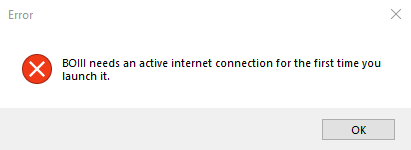
"BOIII needs an active internet connection for the first time you launch it."
Solution:
-
Download the zip file by clicking on this link: data.zip
-
Locate the downloaded zip file on your computer.
-
Extract the contents of the zip file. You can do this by right-clicking on the file and selecting "Extract All" or using a file compression tool like WinRAR or 7-Zip. Make sure you choose a destination folder for extraction.
-
Open the File Explorer on your computer and navigate to
%localappdata%\boiii\. You can quickly access this location by typing%localappdata%\boiii\in the address bar of the File Explorer.
If the folder does not exist, you will need to create it in the %localappdata%\ directory.
-
Move or copy the extracted contents from the downloaded zip file into the
boiiifolder.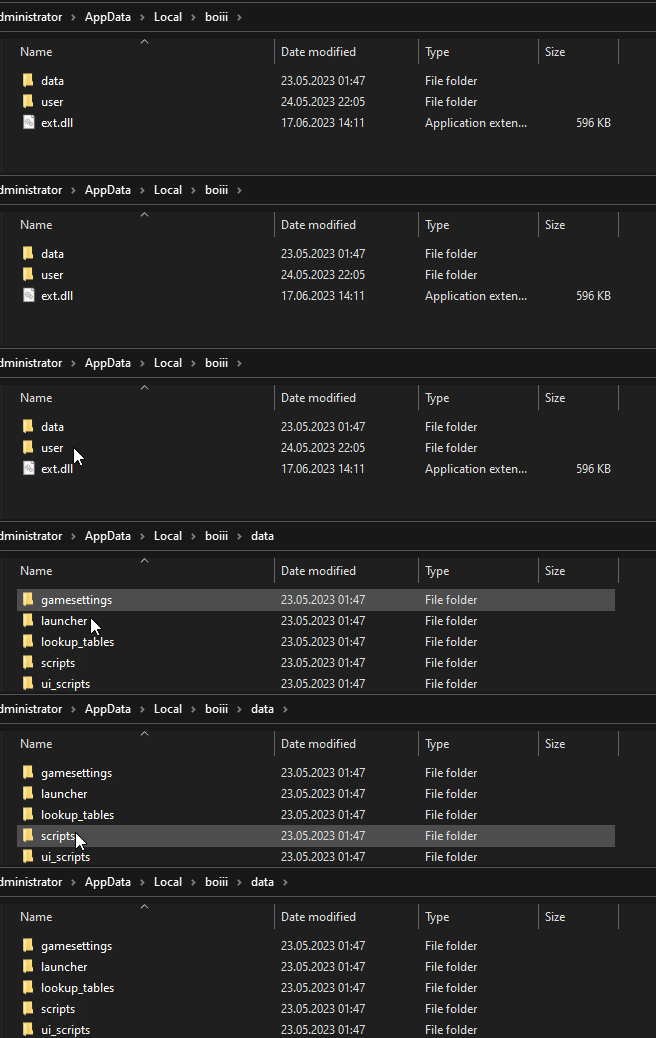
-
Launch the BOIII application again. This time, it should start without showing the previous error message.
Note: If it continues please restart pc and then open the BOIII application again.
-

Hello! It looks like you're interested in this conversation, but you don't have an account yet.
Getting fed up of having to scroll through the same posts each visit? When you register for an account, you'll always come back to exactly where you were before, and choose to be notified of new replies (either via email, or push notification). You'll also be able to save bookmarks and upvote posts to show your appreciation to other community members.
With your input, this post could be even better 💗
Register Login