
-
BO4 - Ezz Setup Tutorial
Welcome to yet another ezz guide! 😎
This time, we're going to walk you through the process of setting up Black Ops 4 (BO4/T8) using the latest BO4 Client, developed by the project-bo4 team.- Please be aware that this is still very early in its development!
- If you already have the game on Battle.net, feel free to skip step 3.
- Support Server: https://discord.gg/ezz
- More Information: https://shield-bo4.gitbook.io/document/
Prerequisites
Setup Guide
-
Install Battle.net
Ensure you have the Battle.net client installed on your device. If you don't, you can download it here (you don't need an account!): https://download.battle.net/en-us/?product=bnetdesk -
Download our Battle.net files
Download the provided folder and save it in your preferred location: https://drive.filen.io/f/ac0e0277-0dd8-423c-9216-6d103df1b04c#LBelPmHLw2QQ5FnMt36uy4I4BEmiZ2i0
In case you want to check the source of the EXE: source -
Run the .bat install script (EXTRACT ALL FILES FIRST)
You can choose your own install path or stick to the default one.
Please note, the game size is 141 GB, so ensure you have enough space available! -
LPC Folder
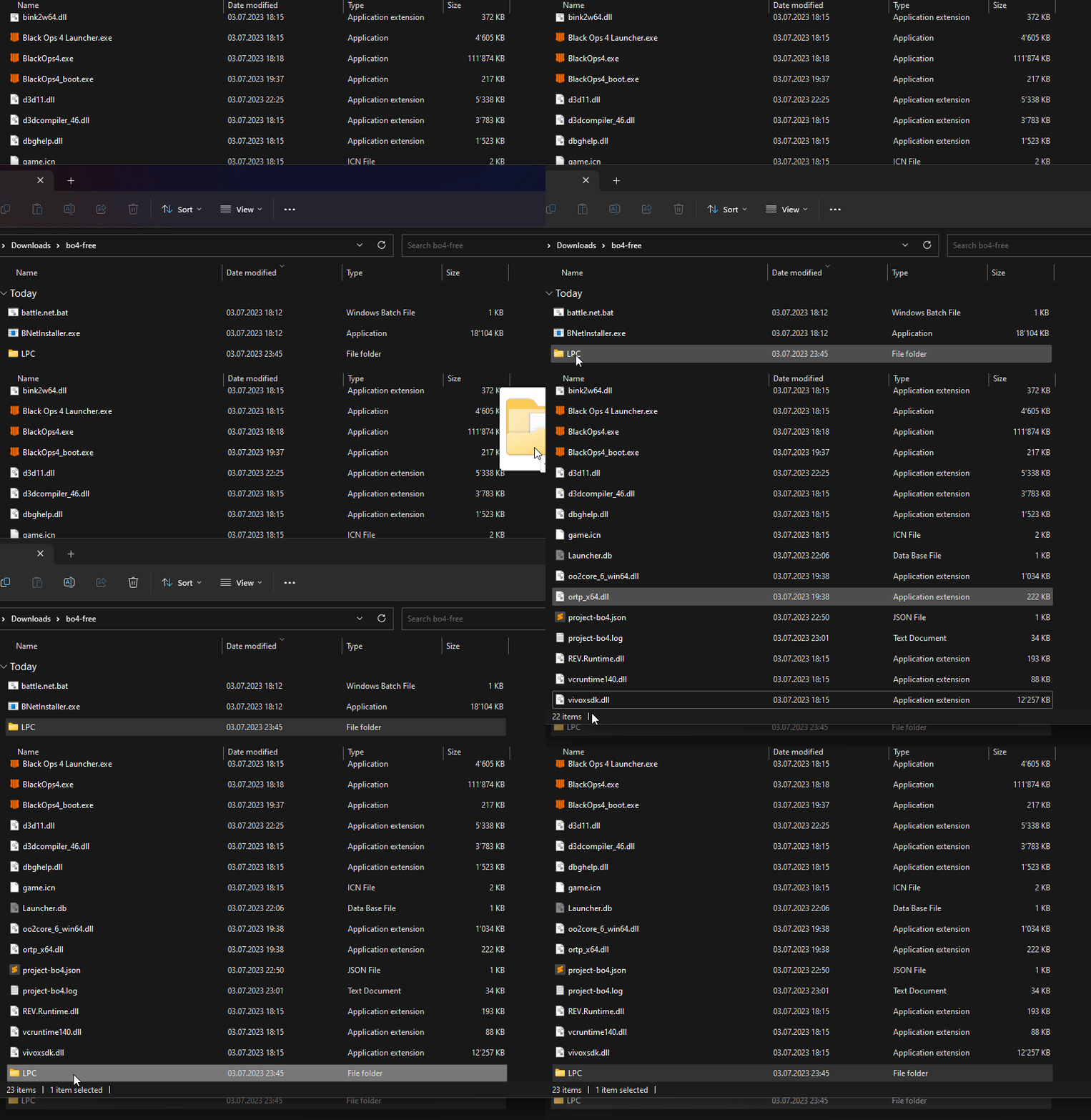
Upon successful installation of the game, move the LPC folder (from step 2) into the game folder.
-
Download official Launcher
Install the official Launcher:
Client: https://github.com/NotNierPea/shield-launcher/releases
Documentation: https://shield-client.gitbook.io/shield-documentation/
Public IP: 70.55.124.82
Known Errors
Unable to find Agent.exe, the Battle.net app is not installed on your system.Unable to start Agent.exe, the app cannot start the Battle.net agent as Battle.net is either missing or not setup.Unable to authenticate, the Battle.net app is not signed in to and therefore cannot install games.Unable to install, your computer doesn't meet the minimum specs and/or space requirements.2221, the supplied TACT Product is unavailable or invalid.2421, your computer doesn't meet the minimum specs and/or space requirements.3001, the supplied TACT Product requires an encryption key which is missing.
-
 S Skwll moved this topic from Staff on
-
S Skwll pinned this topic on
-
S Skwll locked this topic on
Hello! It looks like you're interested in this conversation, but you don't have an account yet.
Getting fed up of having to scroll through the same posts each visit? When you register for an account, you'll always come back to exactly where you were before, and choose to be notified of new replies (either via email, or push notification). You'll also be able to save bookmarks and upvote posts to show your appreciation to other community members.
With your input, this post could be even better 💗
Register Login