Error:
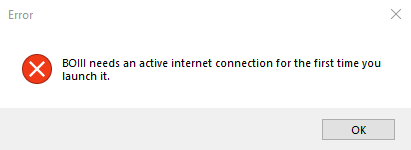
"BOIII needs an active internet connection for the first time you launch it."
Solution:
-
Download the zip file by clicking on this link: data.zip
-
Locate the downloaded zip file on your computer.
-
Extract the contents of the zip file. You can do this by right-clicking on the file and selecting "Extract All" or using a file compression tool like WinRAR or 7-Zip. Make sure you choose a destination folder for extraction.
-
Open the File Explorer on your computer and navigate to
%localappdata%\boiii\. You can quickly access this location by typing%localappdata%\boiii\in the address bar of the File Explorer.
If the folder does not exist, you will need to create it in the %localappdata%\ directory.
-
Move or copy the extracted contents from the downloaded zip file into the
boiiifolder.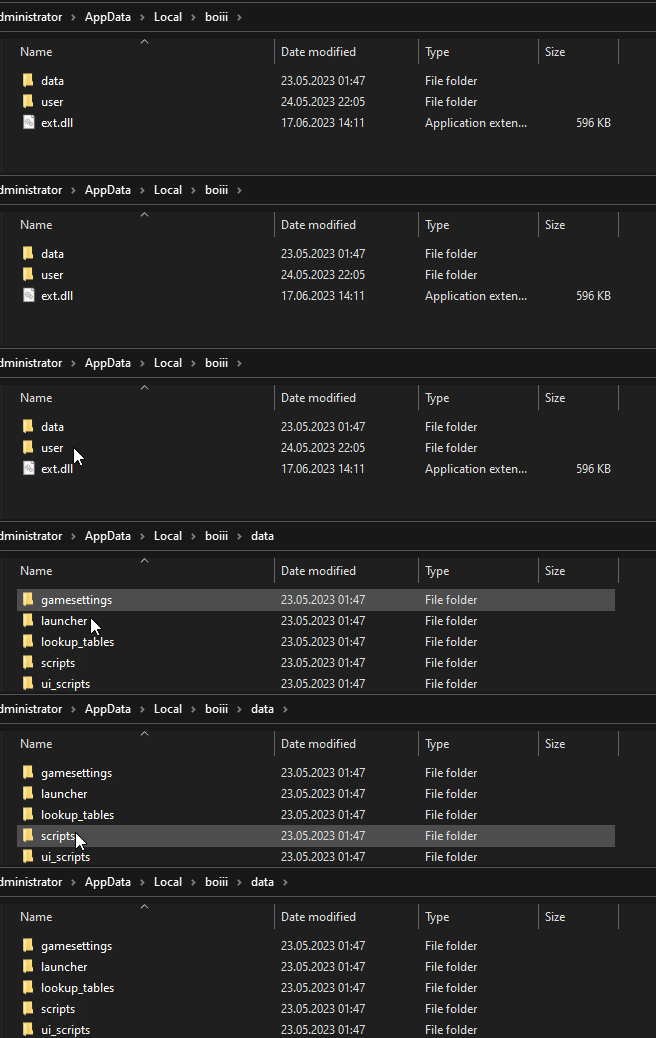
-
Launch the BOIII application again. This time, it should start without showing the previous error message.
Note: If it continues please restart pc and then open the BOIII application again.

 GitHub - faroukbmiled/BOIIIWD: Black Ops 3 GUI Workshop downloader (Windows only for now...)